Your Mac,
but calmer.
Hyde is a lightweight menu bar utility that hides the notch, dims distractions, tiles your windows, remembers your clipboard and keeps your Mac awake — all from one quiet icon.
Lives in the menu bar — no Dock icon, no clutter.
 9:41 AM HydeControl Center
Dim everything.
Except what matters.
Double-tap Shift and everything but your focused window fades into a soft, blurred backdrop. Switch windows and the spotlight follows you — automatically.
- Follows your focus — the dim region crossfades as you switch windows
- Tune the mood — dim amount, background blur, matte wash and film grain
- Six tint presets plus a full custom color picker
- Stays out of the way — auto-hides for fullscreen apps and survives Space switches
9:41 AMSnap windows
at the speed of thought.
Halves, thirds, quarters — 19 layouts on Magnet-style shortcuts, drag-to-edge snapping, and an on-screen tile picker. Windows glide into place and remember where they came from.
- Keyboard-first— ⌃⌥ + arrows and letters, every binding customizable
- Snap on drag — pull a window to any edge or corner
- Design your own layouts — draw any zone on a grid and give it its own shortcut
- Restore anytime — every window remembers its previous frame
Everything you’ve copied.
One keystroke away.
Text, images, links and files — searchable, organized into color-coded groups, and pasted back into whatever app you were using with a single press of Return.
- ⌘⇧Vopens the panel; ↑↓ to navigate, ↵ pastes straight into your app
- Ephemeral Copy (⌘⇧C) — copy sensitive things without recording them
- Private by design — exclude any app (password managers, banking) from history
- Yours to keep — retention rules, up to 2,000 items, one-click JSON export, optional iCloud sync
Clipboard History
6 items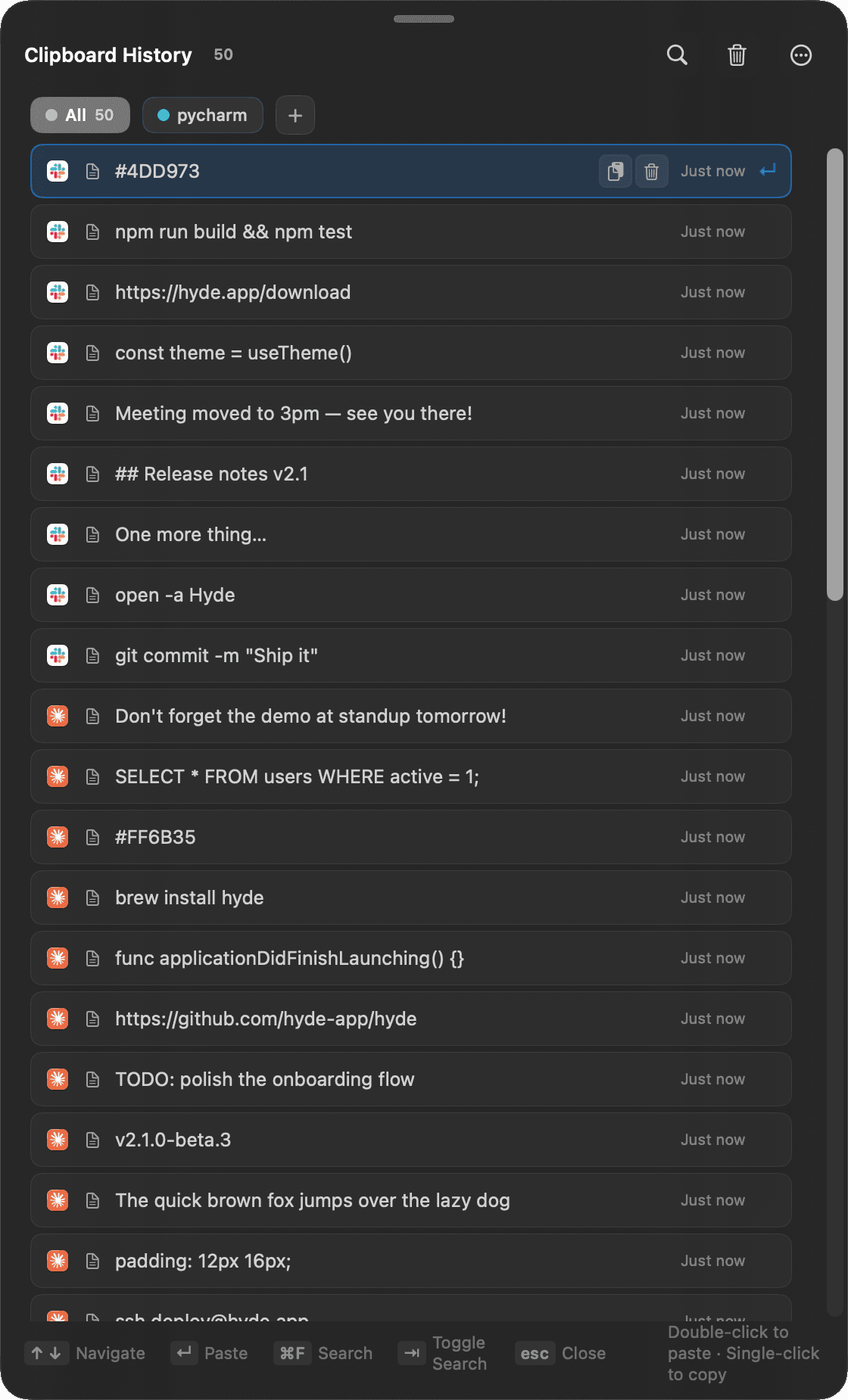
Now you see it. Now you don’t.
A seamless menu bar overlay makes the notch melt away — on any wallpaper, static or dynamic, with zero private APIs.
No mockups here. This is Hyde.
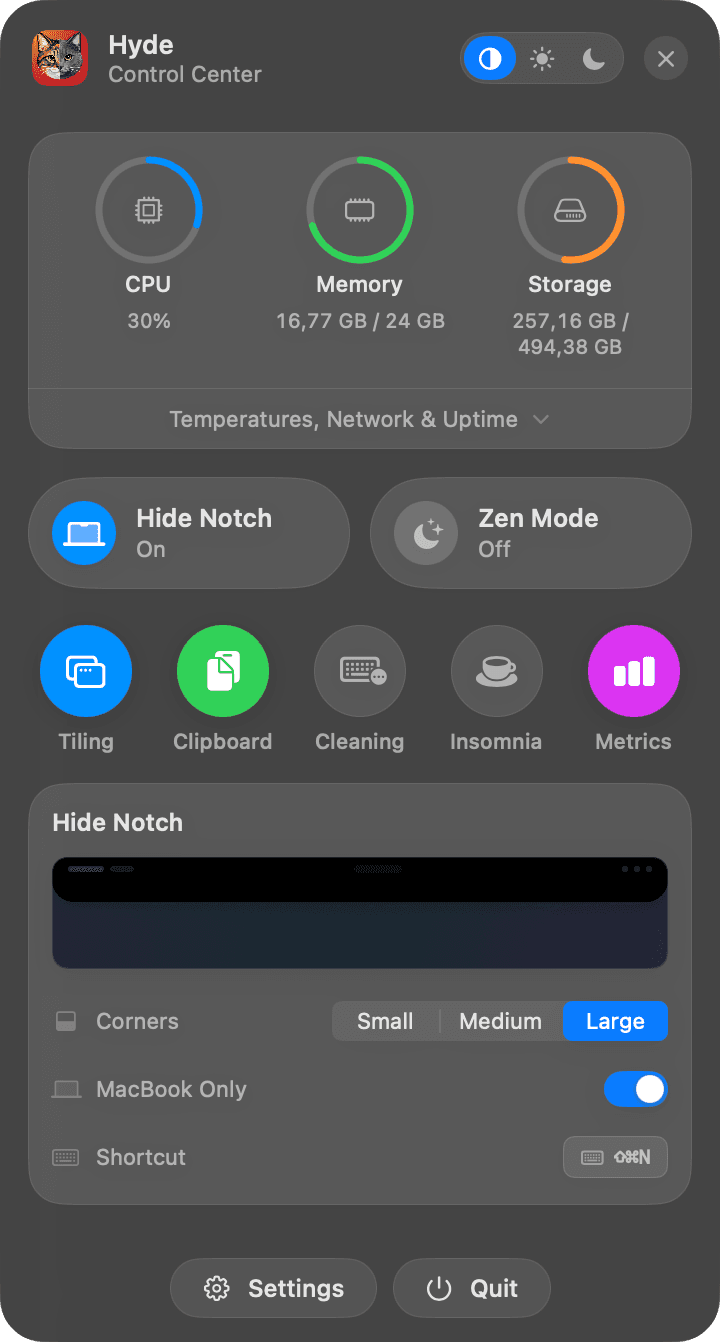
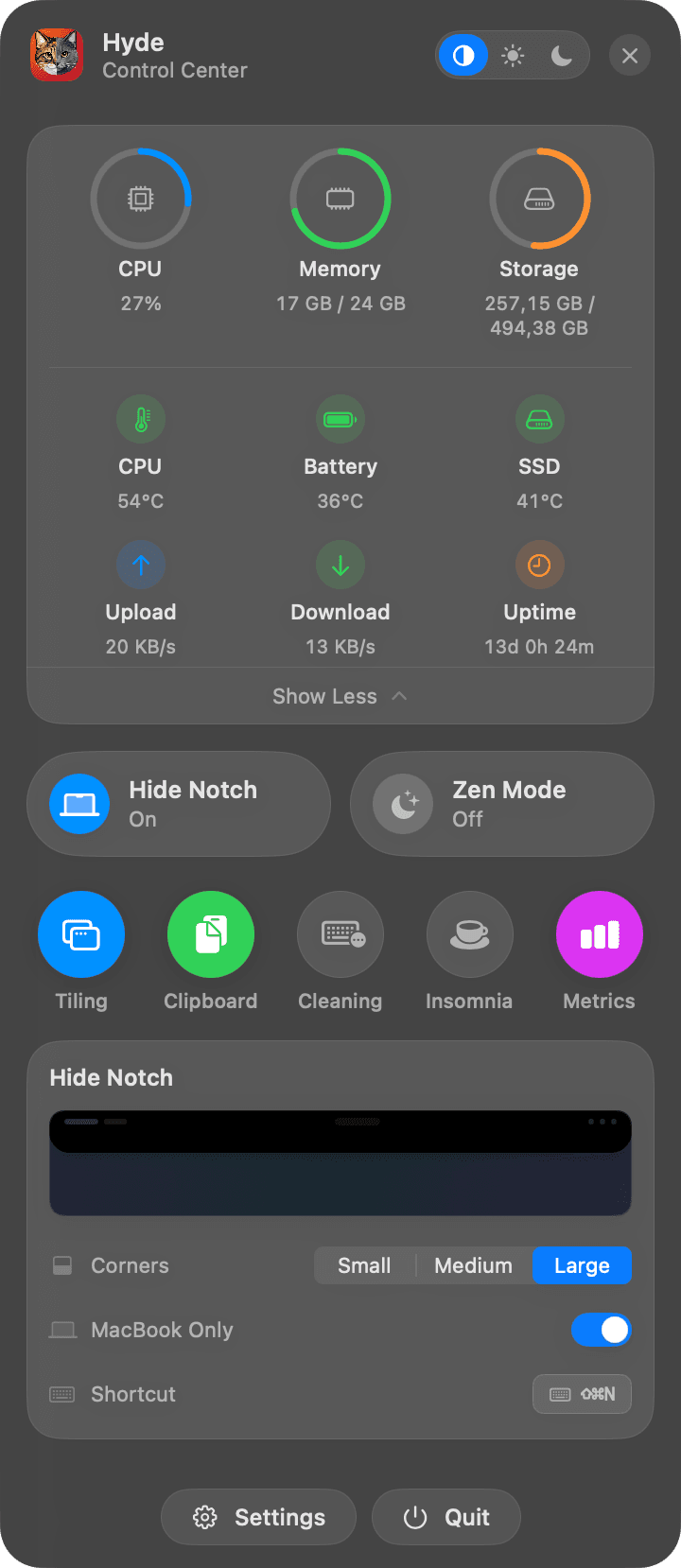
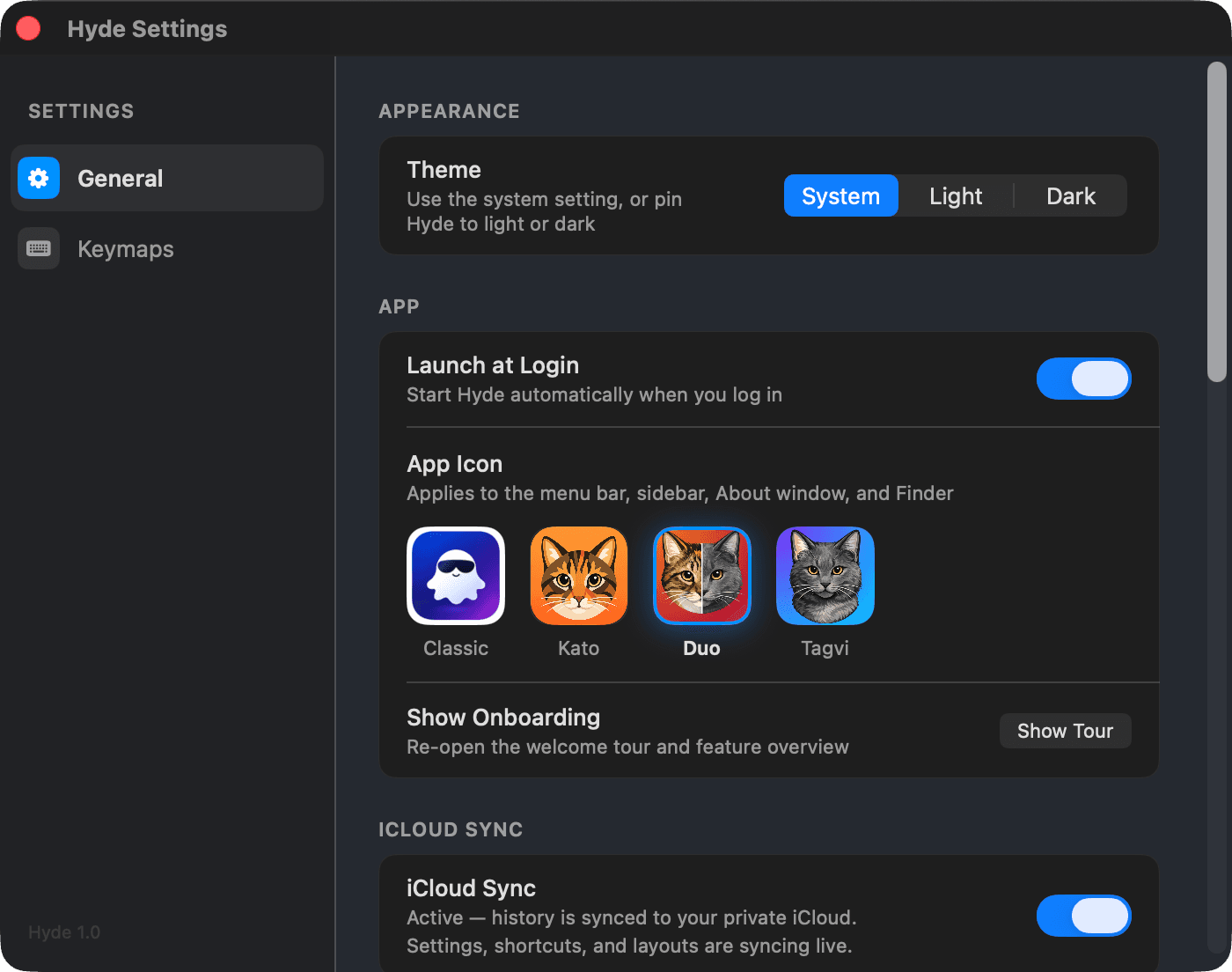
Everything above is a live demo — these are real captures, straight off a Mac. The Control Center, live metrics and Settings, exactly as they ship.

Small tools. Big quality of life.
The little utilities you’d otherwise install five separate apps for.
Insomnia zzz
Keep your Mac wide awake — no sleep, no display dimming. Perfect for downloads, long builds and presentations.
Keyboard Cleaning
Lock every key — including volume, brightness and power — so you can wipe your keyboard without typing chaos into Slack.
Live System Stats
CPU, memory and storage gauges the moment you open the popover — plus temperatures, network speed and uptime on demand.
iCloud Sync
Settings, shortcuts, custom layouts — even clipboard history — kept in step across your Macs through your private iCloud. Nothing touches our servers.
Pick Your Icon
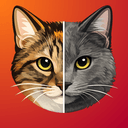
The Classic ghost — or one of the developer’s actual cats: Kato, Duo and Tagvi. Yes, they’re real. Yes, they supervised the whole build. Your pick shows up everywhere, from menu bar to Finder.



Rebind Everything
Every shortcut in Hyde is yours to change. Click a badge, press a new combo, done. Right-click to reset — or reset all in one go.
The cheat sheet
Sensible defaults out of the box. Every single one rebindable.
Plus thirds, two-thirds, center, next display — and your own custom layouts with their own shortcuts.
Ready for a calmer Mac?
Hyde is in final testing — the toolkit above is exactly what will ship. Leave your email and be the first to know when it’s ready.
macOS 13 Ventura or later · Free to start, Pro for power users · Sync uses your private iCloud